
What is Multi-factor Authentication?
Multi-factor authentication (MFA) is a security method that requires users to provide verification proofs from different categories to access an account, device, or network. It adds extra layers of protection so that even if a password is stolen, unauthorized users can be blocked.
Securing ETSU Accounts: Upgrading to Modern MFA
Beginning February 2027, Microsoft will officially retire text message (SMS) and phone call verification methods for MFA across ETSU systems. To ensure continuous, secure access to your accounts, Information Technology Services will be assisting users with migrating to more secure authentication methods over the coming months.
What is Changing on February 1?
- Retiring (Legacy MFA): SMS Text Message codes and Automated Voice Calls.
- Why?: Texts and phone calls are easily intercepted via SIM-swapping, phishing, and social engineering attacks targeting students and staff accounts.
- The Upgrade (Modern MFA): The Microsoft Authenticator and Passkeys are the recommended MFA methods. Those interested in other MFA methods (FIDO2 security keys, Windows Hello) should contact the ITS Help Desk.
Who & What is Impacted?
- Affected (Action Required): Any student, faculty, or staff member who still relies on receiving a text message (SMS) or phone call to log into ETSU systems (GoldLink, D2L, email).
- Unaffected: Anyone already using the Microsoft Authenticator App (push notifications or codes), Passkeys, or a TOTP (time-based one-time password) token.
What do I need to do?
If you are currently using text message or phone calls for account verification, upgrade your authentication methods to one of the modern MFA options. The options are explained below. You only need
to set up at least one of the following methods.
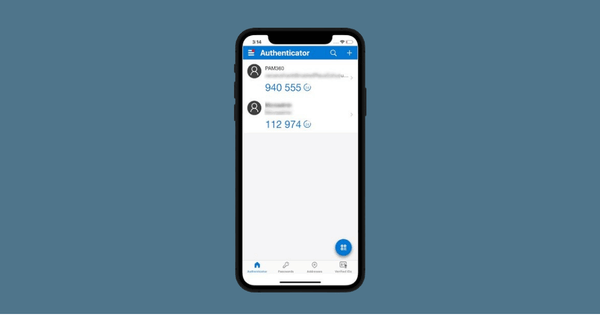
Microsoft Authenticator
Free mobile application for iOS and Android that provides a secure way to verify your identity when signing into online accounts. Authenticator provides MFA time-based one-time passwords, push notifications, and passwordless sign-in.
Passkeys
A digital credential that replaces traditional passwords with a fast, phishing-resistant, passwordless login method.
How do I Update or Add and Authentication Method?
Knowledge Base Articles
- MFA: Using the Microsoft Authenticator App
- MFA: Switching from Text to Authenticator App
- Set Up MFA Passkey: Setting Up in Chrome, Setting Up in Edge, Setting Up on Mac
Training Videos
How to set up the Microsoft Authenticator app for your ETSU account.
How to set up a passkey for an ETSU account using Google Chrome.
How to set up a passkey for an ETSU account using Microsoft Edge.
How to set up a passkey for an ETSU account using MacOS.
Projected Timeline
- Phase 1 (October 2026): Identifying active SMS/Voice MFA users and disable option to enroll SMS/Voice Call for new users.
- Phase 2 (November 2026-January 2027): Campus awareness campaign (D2L banner, GoldLink banner, handouts, setup service kiosks, direct email campaign, digital signage, Microsoft "nudge" prompts at login).
- Phase 3 (January 2027): Enabling Microsoft Registration Campaign prompts (users logging in via SMS are prompted to set up Authenticator right then, with an option to snooze temporarily).
- Phase 4 (February 1, 2027): Permanent retirement of SMS Text and Voice Call MFA.
Get Support
The ITS Help Desk is available to provide support for updating MFA methods. There are multiple ways to get connected with the team:
- Call — (423) 439-4648
- Email — itshelp@etsu.edu
- Live Chat — Start Now